EHR Software for Small and
Mid-Size Medical Practices

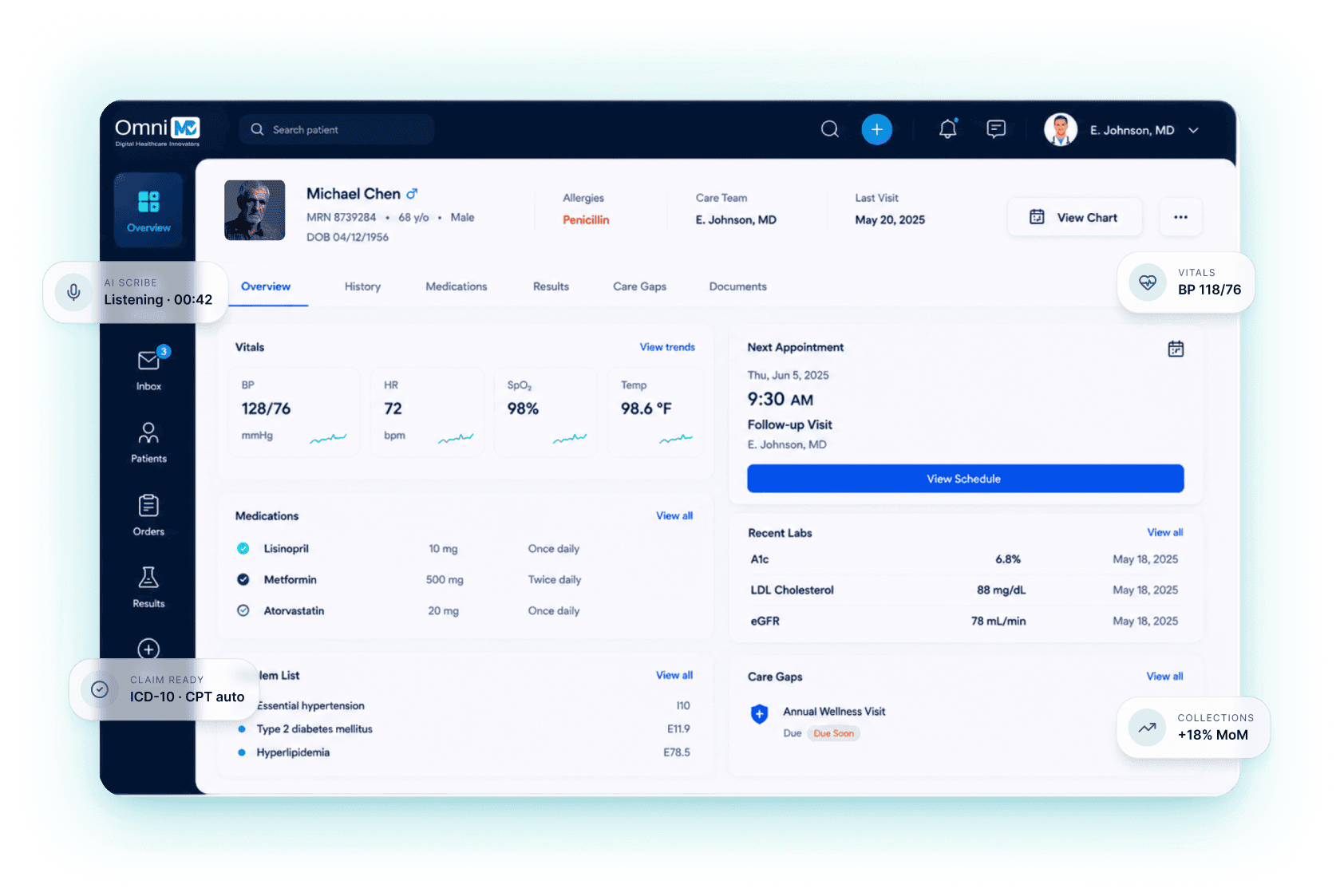
OmniMD’s cloud-based EHR brings RCM, PMS, and RPM together in one connected system, helping clinics improve care, strengthen revenue performance, and operate with confidence.

Get Free Demo Get Pricing

Intelligent EHR Built for Specialty Workflows

Health Portal

Deliver a patient-centric digital experience with 24/7 access to medical records, appointment scheduling, and secure communication. This unified portal improves engagement, reduces administrative burden, and aligns with modern expectations for accessible care.

EHR Software

Analytical Dashboard

Gain actionable insights through real-time performance analytics, revenue trends, and operational benchmarks. Our Analytical Solution supports data-driven decision-making, enabling practices to optimize resource allocation and enhance financial outcomes.

Analytical Dashboard

Lab Integration

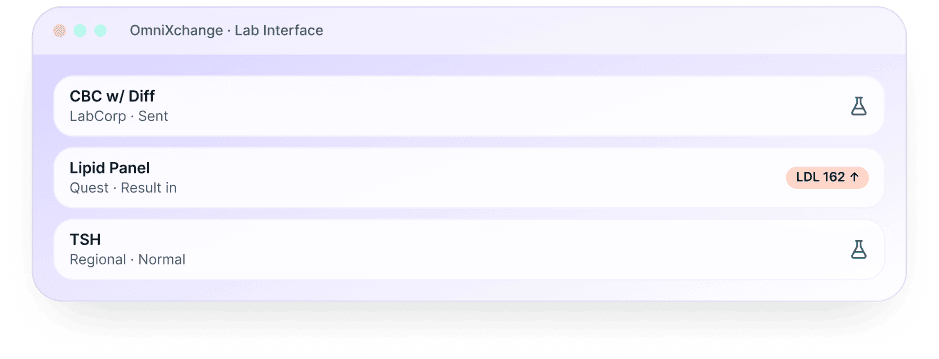
Ensure clinical precision through direct lab interoperability. Real-time exchange of diagnostic data between EHR and laboratory systems minimizes manual entry, accelerates turnaround time, and strengthens clinical decision support.

Lab Integration

AI Charting

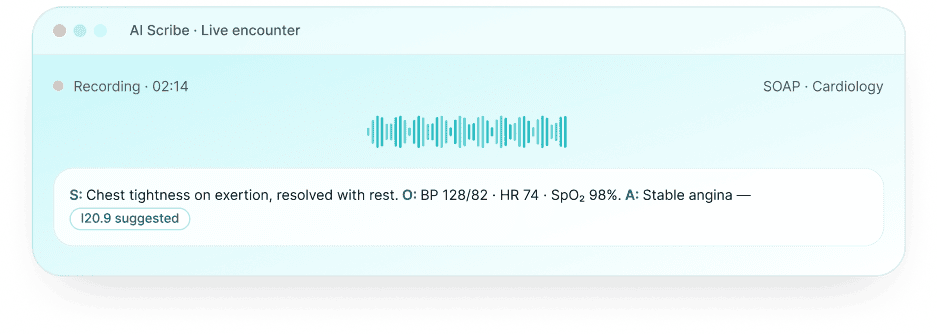
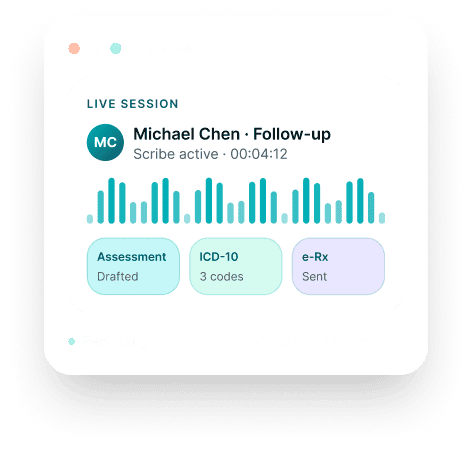
Use ambient AI technology to automate AI clinical documentation. By capturing and structuring encounters in real-time, you can significantly reduce after-hours workload, improve note accuracy, and enhance overall documentation compliance.

AI Charting

e-Prescribing

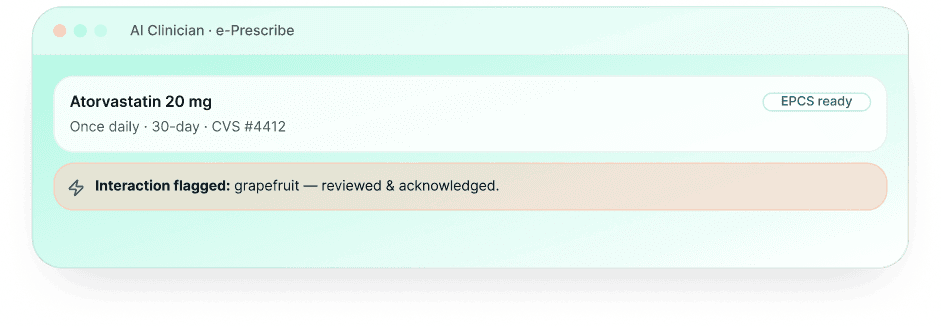
Implement secure, intelligent Electronic Prescribing that minimizes medication errors, supports medication reconciliation, and integrates flawlessly with pharmacy networks. Enhance safety and ease prescription workflows.

e-Prescribing

Remote Patient Monitoring (RPM)

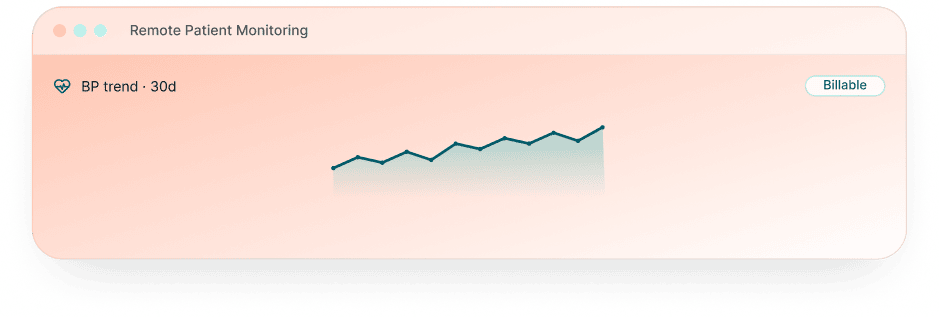
Enable proactive care management with continuous, Remote Patient Monitoring of chronic conditions. RPM facilitates early intervention, reduces hospital readmissions, and supports population health strategies through real-time data insights.

Remote Patient Monitoring (RPM)

Practice Management Integration

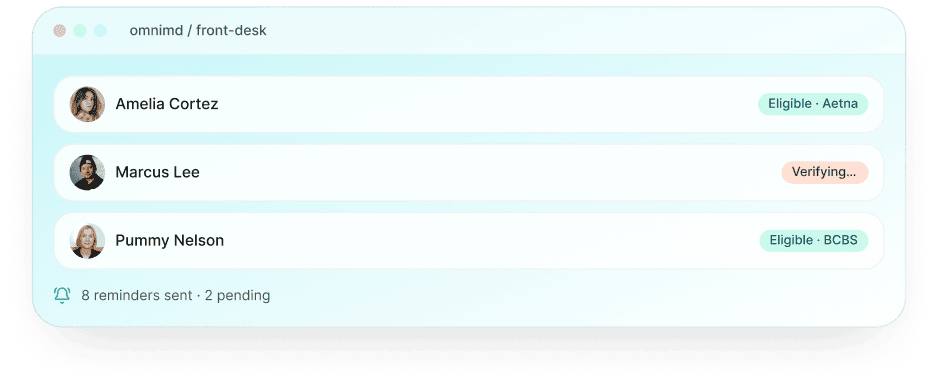
Achieve operational efficiency through a tightly integrated practice management system. From automated scheduling to eligibility verification, this integration enhances front-desk productivity and ensures consistent, organized workflows.

Practice Management Integration

Patient Kiosk

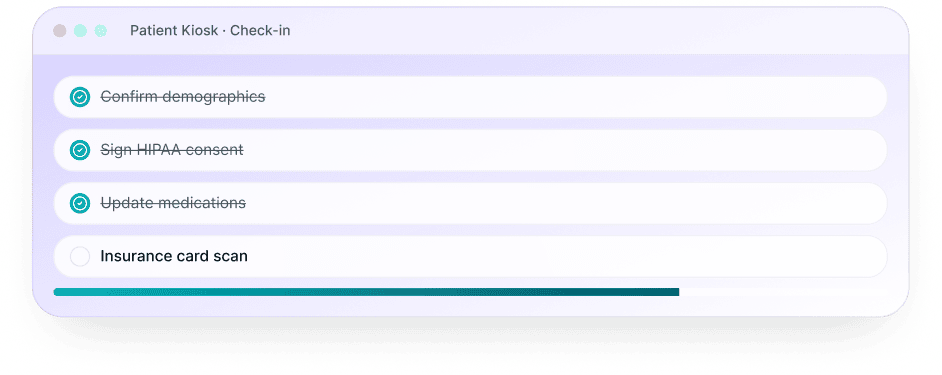
Modernize the intake process with a digital kiosk solution that supports self-check-ins, insurance validation, and demographic updates. Reduce wait times, improve data accuracy, and elevate the patient experience from the moment of arrival.

Patient Kiosk

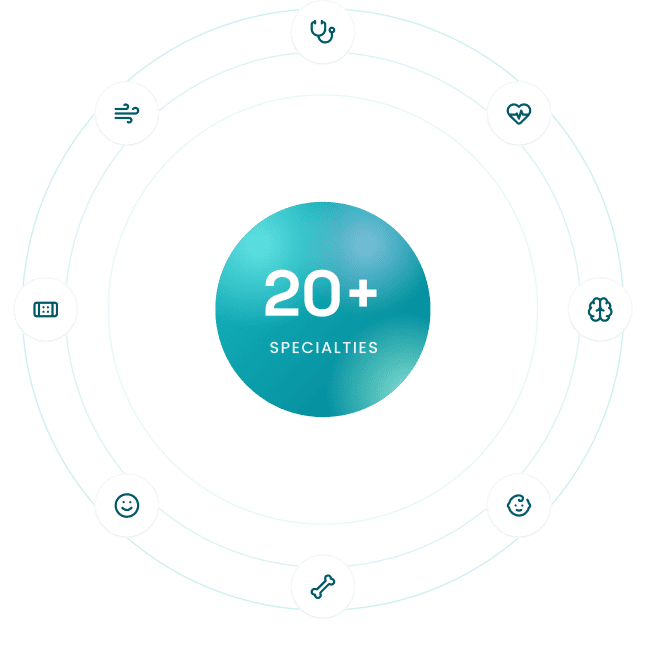
Cloud-Based EHR System Customized for 20+ Specialties

Electronic Health Record Customized for 20+ Specialties

Our all-in-one EHR platform is strategically designed for 20+ medical specialties, including cardiology, urgent care, Mental Health, primary care, and OB/GYN, embedding specialty-specific logic, clinical pathways, and documentation standards directly into the system. With native support for specialty diagnostics, configurable templates, and integrated decision support, our EHR with practice management software ensures you work within your workflows, reducing cognitive load, improving coding precision, compliance, and operational excellence.

HIPAA & ONC Compliant

HIPAA & ONC Compliant

MIPS Ready

MIPS Ready

Simplified Workflow

EHR with Medical Billing

Enhanced Compliance

Enhanced Compliance

Custom Workflow

Custom Workflow

Analytics & Patient Engagement

Analytics & Patient
Engagement

Real Time Patient Data

Real Time Patient Data

Mobile Integration

Mobile Integration

AI Charting

AI Charting

Highlights of OmniMD EHR Product

Customer Stories That Inspire Care

Shiloh Family Medicine

Denials Slashed from 21% to 4%

Find out how we helped Shiloh Family Medicine reduce costly claim errors, cut denial rates from 21% to just 4%, and achieve faster, more reliable reimbursements.

Walker Family

95.3% Net Collections

Find out how we helped Walker Family Medicine simplify documentation, reduce errors, and raise their Net Collection Rate above the MGMA standard at 95.34%.

Real Stories From Medical Practices Thriving With OmniMD


OmniMD EHR vs Competitors

See how OmniMD compares to leading EHR platforms on features, specialty support, and total cost of ownership.

What is EHR Software? EHR vs EMR Explained

Electronic Health Record (EHR) software is a digital system that captures, stores, and exchanges patient health information across an entire care team. Unlike paper-based records, an ONC-certified EHR allows multiple providers, specialists, and care coordinators to access the same patient record in real time, reducing duplicate tests, miscommunication, and documentation errors.

EHR vs EMR: What is the Difference?

An Electronic Medical Record (EMR) is a digital version of a single provider’s paper chart – it lives within one practice and does not travel with the patient. An Electronic Health Record (EHR) is designed to share information across providers, specialties, hospitals, and health systems. When a patient sees a cardiologist after a primary care visit, the cardiologist’s EHR can access the primary care notes, lab results, and medication list. OmniMD is a full EHR system, not just an EMR, with interoperability built to current ONC FHIR 4.0.1 standards.

Why Independent Practices Need a Dedicated EHR

The HIPAA Security Rule requires covered entities to protect electronic patient health information. A purpose-built EHR handles this compliance automatically through role-based access controls, audit logging, and encrypted data storage – functions that spreadsheets and generic software cannot provide. Beyond compliance, practices using integrated EHR systems report measurable reductions in claim denials, documentation time, and no-show rates compared to practices on disconnected or paper-based workflows.

How to Choose EHR Software for Your Practice: 5 Criteria

The American Medical Association recommends evaluating EHR systems against your practice’s specific specialty workflows, billing complexity, and interoperability needs before committing. These five criteria consistently separate EHR systems that practices stay on from those they replace within 3 years.

1. Specialty-Specific Templates

A general-purpose EHR forces every specialty to document within the same generic templates. Cardiology, podiatry, orthopedics, and behavioral health each have distinct documentation patterns, CPT code sets, and prior authorization requirements. An EHR with pre-built specialty templates reduces per-visit documentation time and improves coding accuracy. OmniMD ships with built-in templates for 25+ specialties without add-on fees.

2. Integrated Billing and RCM

The most common source of claim denials is data re-entry between the EHR and a separate billing system. When clinical documentation and billing operate on the same patient record, diagnosis codes, procedure codes, and modifiers flow to the claim automatically. Practices on integrated EHR and billing platforms report 20 to 35 percent fewer first-pass denials than those managing separate systems.

3. ONC Certification and Interoperability

ONC certification confirms the EHR meets federal standards for data security, patient access, and clinical quality reporting. It is required for MIPS reporting and Meaningful Use attestation. FHIR 4.0.1 API support enables the practice to exchange records with specialists, hospitals, labs, and health information networks without custom integrations. Verify certification status before purchasing.

4. Mobile Access and AI Documentation

Providers who chart on a desktop workstation between each exam room spend 30 to 40 percent of their in-office time on documentation. Mobile EHR access with AI scribing that generates SOAP notes from voice input cuts per-visit documentation time by 40 to 60 percent in high-volume specialty practices. Evaluate whether the AI documentation tool is native to the EHR or a bolted-on third-party add-on that requires a separate review step.

5. Implementation Support and Data Migration

EHR switching costs are driven primarily by data migration complexity and staff retraining time. Ask vendors: who manages the data migration from your current system? What is the realistic go-live timeline for your practice size? Is staff training included in the implementation fee, or billed separately? Practices that negotiate a written implementation plan with defined milestones and a parallel-run period report significantly fewer billing disruptions in the first 90 days post-switch.

AI Medical Charting Software Built Into the EHR

AI medical charting uses ambient listening and natural language processing to generate structured clinical notes from the provider-patient conversation in real time. The provider speaks with the patient, and the system produces a draft SOAP note, fills the appropriate template fields, and queues the note for provider review before signing. No dictation microphone. No post-visit typing. No third-party software to switch between during the encounter.

OmniMD’s AI charting software is native to the EHR, not connected via API from an outside vendor. This means the AI-generated note flows directly into the clinical record, billing module, and order set without a copy-paste step. Providers who complete documentation before leaving the exam room eliminate after-hours charting that typically adds 60 to 90 minutes to the workday in high-volume practices.

How Automated Charting Works in a Clinical Setting

When a provider starts an encounter in OmniMD, the AI charting tool activates. The system listens to the clinical conversation, identifies relevant clinical data (chief complaint, history of present illness, physical exam findings, assessment, and plan), and maps each element to the appropriate field in the specialty-specific template. At encounter close, the provider reviews the draft, makes any corrections, and signs. The average review time for an AI-generated note is 45 to 90 seconds compared to 5 to 8 minutes for manual documentation.

  • Specialty templates pre-loaded: Cardiology, orthopedics, primary care, mental health, podiatry, and 20+ additional specialties each have distinct AI charting models trained on specialty-specific documentation patterns.
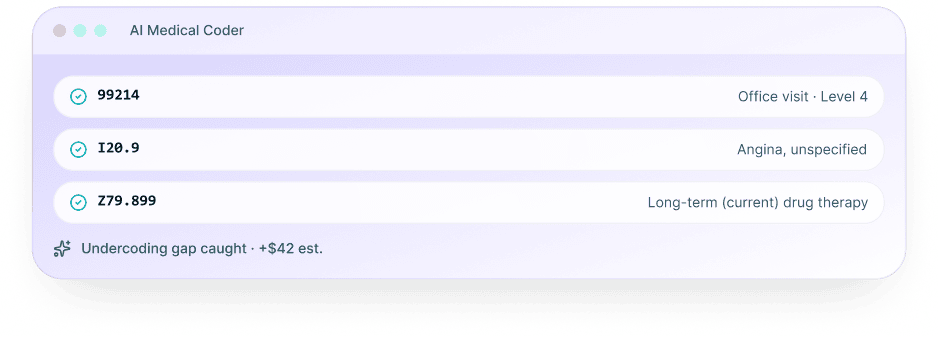
  • Structured output, not free text: The AI generates structured data that feeds coding workflows. Diagnosis codes, procedure codes, and order suggestions surface automatically based on the documented encounter.
  • HIPAA-compliant processing: All audio processing and note generation occurs within OmniMD’s HIPAA-compliant infrastructure. No patient audio or clinical data routes through third-party consumer AI services.
  • Works with or without a scribe: Practices that previously employed human scribes use AI charting as a replacement or supplement. Practices that never had a scribe gain the documentation capacity of a dedicated scribe without the staffing cost.

E-Prescribing Software Integrated With Your EHR

Electronic prescribing software transmits prescriptions directly from the provider to the pharmacy, eliminating paper scripts, fax-based refill requests, and call-back volume from pharmacies verifying handwritten prescriptions. OmniMD’s e-prescribing software is built into the EHR, so the prescribing workflow runs inside the same interface where providers document, order labs, and manage care plans.

The core advantage of e-prescribing built into an EHR versus standalone electronic prescribing software: the system automatically cross-checks the prescription against the patient’s active medication list, allergy profile, and documented diagnoses before transmitting. Drug interaction alerts, allergy warnings, and formulary checks surface at the point of prescribing, not after the patient leaves the office.

Electronic Prescribing for Controlled Substances (EPCS)

Controlled substance prescribing requires DEA-compliant electronic prescribing with two-factor authentication, identity proofing, and a compliant audit trail. OmniMD’s EPCS module meets all DEA requirements for Schedule II-V medications. Providers in states with mandatory EPCS laws (which now include most US states for controlled substances) use OmniMD’s built-in EPCS without purchasing a separate DEA-compliant prescribing platform.

E-Prescribing Without a Separate EMR

Some practices search for e-prescribing software that operates without a full EMR. Standalone electronic prescribing platforms exist, but they create a data gap: the prescription transmits, but the medication does not automatically update the patient’s EHR medication list or trigger the clinical decision support checks that require chart context. Practices on OmniMD get e-prescribing as part of the EHR platform without an additional subscription, separate login, or manual medication reconciliation step.

Ambulatory EHR Software With Integrated Billing and Practice Management

Ambulatory EHR software serves outpatient clinical settings: independent practices, multi-specialty groups, urgent care centers, and specialty clinics. Unlike inpatient EHR systems built for hospital workflows, ambulatory EHR systems are designed for the speed and volume of outpatient encounters, where a single provider may see 25 to 40 patients per day across multiple rooms and need to complete documentation before the next patient enters.

OmniMD is built as an ambulatory EHR with integrated practice management (PM) and revenue cycle management (RCM) in a single platform. The distinction from standalone ambulatory EHR software matters in practice: when EHR, PM, and RCM operate on the same patient record, clinical data flows to billing without re-entry. Diagnosis codes from the encounter note populate the claim automatically. Insurance eligibility verified at scheduling appears at check-in. Payment collected at the front desk posts to the patient’s financial record without a manual reconciliation step.

EHR Billing Software: Why Integration Depth Matters

EHR billing software that operates as a separate module from the clinical record creates the same problem as buying EHR and billing software from two different vendors: data has to travel between systems, and somewhere in that transfer, errors and delays accumulate. OmniMD’s integrated billing reads clinical documentation directly. Coding suggestions appear as providers complete the note. Claims queue before the patient leaves. Denial management and ERA posting happen in the same interface providers use for clinical work, so billing staff and clinical staff share one view of each patient’s record.

EHR Software for Multi-Specialty Clinics

Multi-specialty ambulatory clinics require an EHR that handles distinct specialty documentation, billing rules, and scheduling patterns across providers in the same practice. A primary care provider and a cardiologist in the same group need different note templates, different CPT code sets, and different scheduling logic. OmniMD supports 25+ specialties within a single practice instance, with role-based access controls that ensure each provider’s workflow matches their specialty without requiring separate EHR configurations or separate platform logins. See physician dashboard analytics for how multi-specialty performance data surfaces in OmniMD.

Frequently Asked Questions

  • EHR stands for Electronic Health Record and EMR means Electronic Medical Record. EHRs are designed for care coordination across multiple providers, while EMRs usually stay within a single practice. Think of EMRs as digital charts and EHRs as sharable care histories.
  • EHR is more powerful if your clinic collaborates with labs, specialists, or other providers. It supports data sharing, referrals, eRx, and telehealth. EMR works for solo practices but can hit limits when you need interoperability.
  • EHR platforms often offer integrated RCM, coding support, and billing analytics, which EMRs may lack. If faster reimbursements and cleaner claims matter, EHR is the smarter choice.
  • EHR improves patient care by keeping a complete and connected record across visits, specialties, and devices. EMR may only track a slice of the story, often just from your clinic.

We offer unbeatable encryption, access controls, and audit trails to secure patient data from breaches and unauthorized access. Our software complies with HIPAA regulations and is regularly updated to ensure end-to-end security.

It takes 2-4 weeks to fully implement your account. Our sales representative helps coordinate the onboarding timeline, which includes account setup, building forms and templates, and customizing workflows.

The average cost varies depending on factors like the size of your organization, scope of functionality, customization required, and integrations. However, we ensure you get highly affordable solutions to accommodate custom business requirements, including transaction-based pricing for bigger groups. We don’t charge any start-up cost and the pricing is purely based on your requirements.

Migrating data involves multiple steps like data preparation, extraction, mapping and transformation, data load, data validation, cleanup, migration, training, and post-migration support.

We provide dedicated training, resources, tutorials, guides, and ongoing customer service support to assist with any issues and queries.

We are your best choice as we:

  • Support patient data exchange with other healthcare systems
  • Adhere to HIPAA and ONC compliance
  • Use advanced benchmarking and analytical tools
  • Provide real-time updates, mobile integration, remote patient monitoring, and more.
  • Yes. OmniMD includes built-in telehealth so providers can conduct video visits directly from the EHR without switching platforms. Appointments, notes, and billing all connect in one workflow.
  • Telehealth encounters sync automatically with the patient chart. You can document the visit, generate a superbill, and send a prescription from the same screen as the video call.
  • Patients receive a link by text or email and join from any browser. No app download required. This works on desktop, tablet, or phone for both provider and patient.
  • OmniMD and athenahealth both offer cloud-based EHR with billing, but OmniMD is built specifically for independent and mid-size practices that need more flexibility without enterprise pricing.
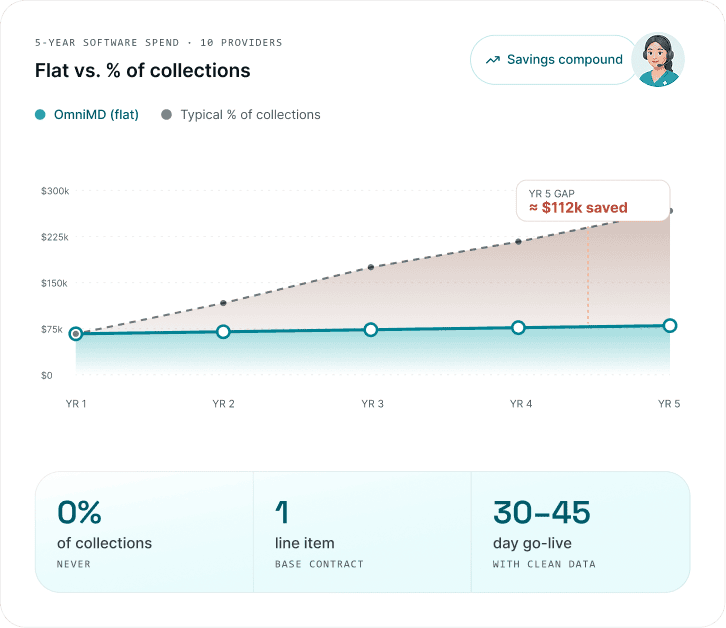
  • OmniMD includes AI charting, e-prescribing, and integrated RCM in one platform with transparent pricing. athenahealth is often priced as a percentage of collections, which adds up at higher revenue volumes.
  • OmniMD offers dedicated onboarding and a US-based support team. Implementation is typically completed in 2-4 weeks, with pricing that does not scale as a percentage of your collections.
  • Yes. OmniMD supports bi-directional lab integration so orders go out and results come back directly into the patient chart. No manual entry, no separate portal to check.
  • Integration covers major national labs like LabCorp and Quest as well as regional labs and in-office diagnostic devices. Orders are trackable from the point-of-care screen.
  • Results arrive with normal range flags already applied, which helps providers act faster. Abnormal results can trigger automatic patient notifications or follow-up tasks.
  • Yes. OmniMD includes behavioral health-specific templates, progress note formats, and treatment plan tools designed for psychiatry, psychology, and counseling workflows.
  • The platform supports e-prescribing for controlled substances (EPCS), which is critical for psychiatry practices managing medication management visits efficiently.
  • OmniMD also includes telehealth built in, which mental health providers rely on heavily. Billing for behavioral health codes including 90832, 90834, 90837, 90839, and 90840 is supported out of the box.
  • OmniMD serves over 25 specialties including primary care, family medicine, OB/GYN, cardiology, pediatrics, orthopedics, dermatology, nephrology, internal medicine, and mental health.
  • The platform also supports pain management, rheumatology, pulmonology, sleep medicine, wound care, vascular surgery, podiatry, physical therapy, chiropractic, and ASC practices.
  • Each specialty gets pre-built templates, ICD-10 code sets, and workflow configurations tailored to that practice type. Multi-specialty groups and solo practitioners are both supported.
  • Yes. OmniMD includes AI Charting that listens to the patient visit in real time and generates a structured SOAP note automatically. Providers review and sign. The documentation happens in the background.
  • AI charting cuts documentation time per encounter significantly, giving providers more face time with patients and fewer end-of-day chart backlogs.
  • The AI is trained on clinical language and specialty-specific terminology. It maps accurately to CPT and ICD-10 codes, which helps coding accuracy and reduces denials.
  • Yes. OmniMD combines EHR and Revenue Cycle Management (RCM) in one platform. Claims are generated from the encounter, scrubbed for errors, and submitted without manual re-entry.
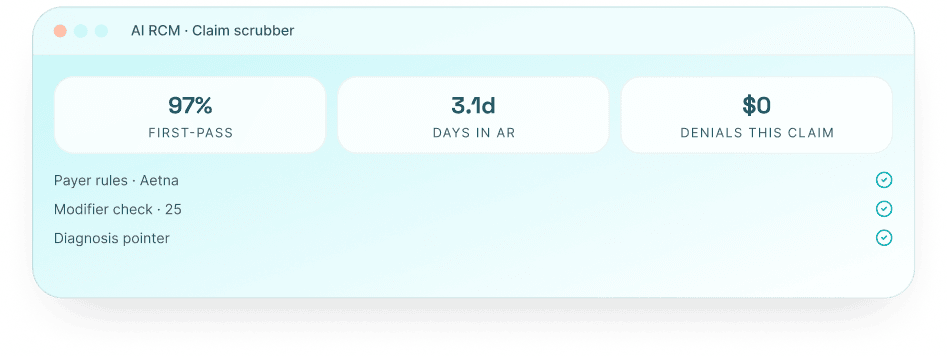
  • Practices using OmniMD RCM see denial rates drop from an average of 21% down to under 4%. First-pass acceptance rates improve because coding is validated before submission.
  • OmniMD also offers fully managed billing services if you prefer to outsource collections. A dedicated billing team handles submissions, follow-ups, and appeals on your behalf.
  • OmniMD is fully cloud-based. There is no on-premise server to buy, maintain, or upgrade. You access the system from any browser on any device, whether in the office, at home, or from a hospital.
  • Cloud hosting means automatic updates, no downtime for version upgrades, and data backed up across redundant servers. You are always on the latest version without scheduling maintenance windows.
  • OmniMD is hosted on HIPAA-compliant infrastructure with 99.9% uptime. Data is encrypted in transit and at rest, with access logs and audit trails available for compliance reviews.
  • Yes. OmniMD has a mobile app for iOS and Android. Providers can access full patient charts, write and sign notes, review lab results, send prescriptions, and manage schedules from their phone or tablet.
  • The app supports telehealth visits as well, so providers can see patients remotely without needing a desktop. All data stays in sync with the main EHR in real time.
  • Access is secured with role-based permissions and HIPAA-compliant encryption. Providers can round at hospitals, check in from home, or handle after-hours questions without sitting at a computer.
  • Yes. OmniMD is ONC-certified EHR technology, which is required for participation in Medicare and Medicaid quality programs including MIPS under the Quality Payment Program (QPP).
  • The platform supports all four MIPS performance categories: Quality, Promoting Interoperability, Improvement Activities, and Cost. Practices can track their MIPS score inside the EHR and submit data directly to CMS.
  • Avoiding MIPS penalties on Medicare reimbursements requires using a certified EHR. OmniMD’s built-in dashboards make it easier to monitor performance and hit reporting deadlines without a separate compliance tool.
  • Yes. OmniMD comes with pre-built specialty templates for over 25 specialties and lets you modify them or build your own from scratch. Note formats, intake forms, and order sets can all be tailored to your practice style.
  • Workflows are configurable too. You can set up custom visit types, define which fields are required at each step, and build macros for documentation phrases you use repeatedly. This reduces click counts and documentation time.
  • Practices switching from another EHR can replicate their existing templates inside OmniMD during onboarding. The implementation team works with you to rebuild your workflow before go-live so there is no disruption to care delivery.
  • Yes. OmniMD supports HL7 and FHIR standards for exchanging patient data with hospitals, health systems, labs, pharmacies, and other EHRs. This is the foundation of care coordination across providers.
  • FHIR APIs allow patient data to flow in and out of OmniMD in a standardized format, which is required by ONC rules for information blocking compliance. Patients can also access their own records through FHIR-connected apps.
  • HL7 messaging handles real-time data exchange for lab orders, results, ADT notifications, and referrals. If a patient is admitted to a hospital or seen by a specialist, OmniMD can receive and send updates automatically.

EHR Resources, Guides & E-Books

Guides, checklists, and e-books to help you evaluate, implement, and get the most from your EHR.