OmniEHR : Specialties Covered

altThe OmniMD specialty electronic health record (EHR) system, OmniEHR™, is the first step towards a paperless practice environment because it digitizes all patient records and converts them to electronic health records (EHRs). In addition, it automates and streamlines patient record documentation, storage, and retrieval and makes specialty EHRs available to physicians and other practice staff anywhere, anytime, through any internet-enabled device.

Most importantly, OmniMD EHR software classifies patient data through customized forms and templates as per each of the 30 unique medical specialties covered by the system. Specialists can view patient data in a convenient format that helps them take faster and more informed medical decisions.

Benefits of using OmniEHR

  • Comprehensive electronic charting system for the practice.
  • Knowledge-driven intuitive workflow to capture patient encounters.
  • Customized to meet each practice’s specialty EHR requirements.
  • Charts that can be shared among providers and staff across multiple offices.
  • More complete and easier data collection and reporting.
  • Improved practice decision support.
  • Reduced transcription costs.
  • Universal accessibility from handheld devices, tablets and desktop computers.
  • Increased patient privacy as compared to paper charts.
  • Improved regualatory compliance and reduction in risks.

OmniEHR key features

  • Documents patients’ detailed demographics and insurance records.
  • Captures patients’ allergies, current and pre-existing medications.
  • Manages patients’ social, family and medical history.
  • Records patients’ visit records, grouped into cases by chief complaints.
  • Captures vitals, HPI, ROS, and physical exams during patient visit.
  • Captures and documents procedures performed during patient visit.
  • Documents differential diagnoses, assessments, and treatment plans.
  • Supports specialty-specific and customized templates and forms.
  • Supports rich-text editing online with image-marking facilities.
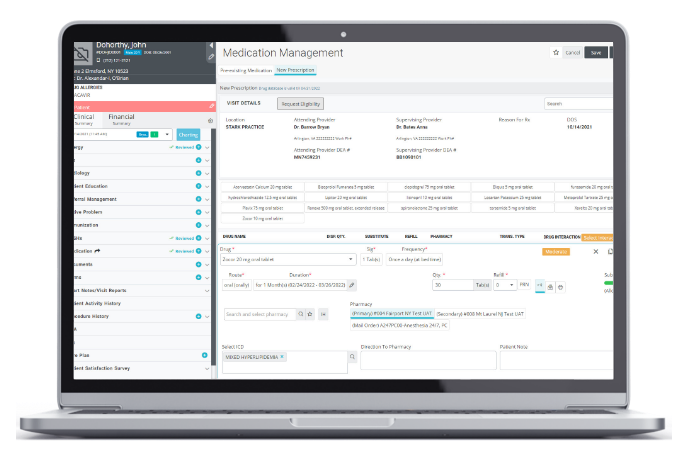
  • Integrated with prescription writer for prescribing drugs and lab orders.
  • Offers templates for various case reports, referral letters, etc.
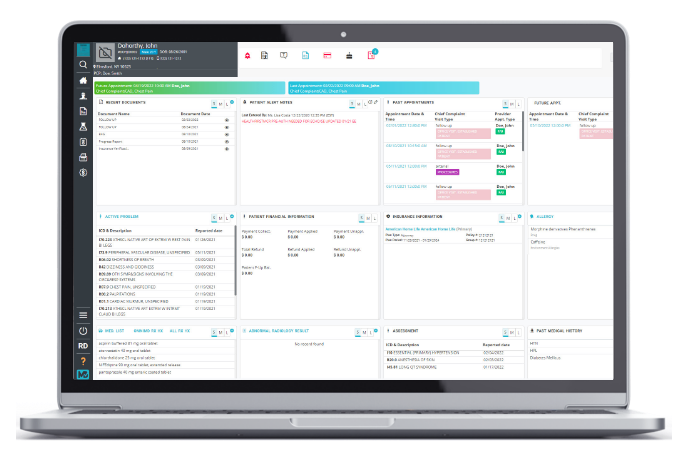
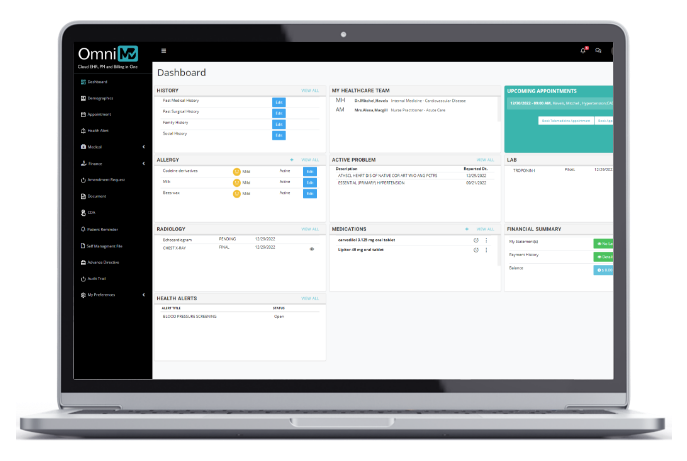
  • Patient dashboard for snapshot view and one-click access to all patient data.

Specialties Covered by OmniEHR


Allergy and Immunology
Anesthesiology
Cardiology
Dermatology
Emergency Medicine
Endocrinology
ENT
Family Practice
Gastroenterology
Geriatric Medicine
HBOT/Wound Care

Hematology
Internal Medicine
Nephrology
Neurosurgery
Neurology
Oncology
Ophthalmology
Orthopedics
OB/GYN (Gynecology)
Occupational Health
Pain Management

Pediatrics
Podiatry
Psychiatry
Pulmonology
Rheumatology
Surgery
Sports Medicine
Urology
Vascular Surgery


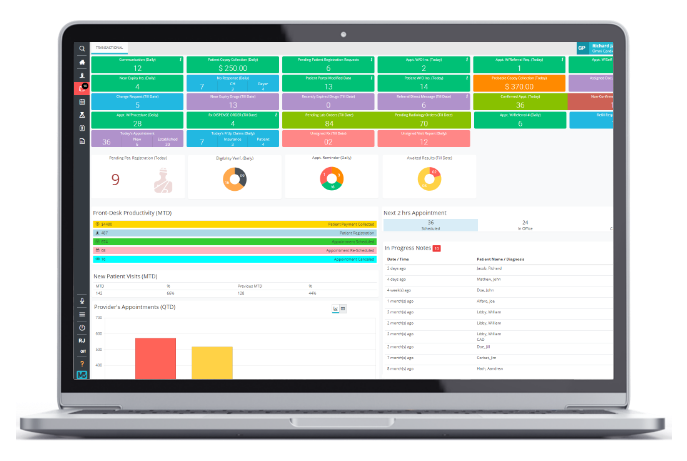
Sample Screenshot:

alt

Latest Feature Additions to OmniEHR

  • Point-and-Click Forms with Macros: Users simply need to click on logical phrases and choices to record the patient encounter. The logical line of thought selected by users form a written narrative.
  • Patient Dashboard: The dashboard provides access to patient demographic information, insurance records, allergies, medical history, transcriptions, prescriptions, superbills, documents, etc.
  • Medical History: The specialty EHR maintains an exhaustive update on the patient’s medical history across vital parameters such as statistics, medical problems, allergy details. and lab reports.
  • Visit Records: Each visit of a patient and its details, such as medical examination, new symptoms and illness history, are documented for quick reference.
  • Insurance Records: A detailed track of the patient’s insurance policies containing plan, termination date, etc. This is integrated with the medical billing system.
  • Quick Records Search: Searches can be performed across multiple parameters to retrieve patient records in seconds.
  • Doctor Records: The system maintains the database of all doctors (permanent doctors and visiting doctors) with each one’s address, contact details, qualifications, and specialty.
  • Patient Intake Forms: Patients can enter their data online through the clinic’s website—EHR will update automatically.
  • Alerts System: Automatic alerts are generated for immunization and abnormal range lab results.
  • Fax to E-Form: Eliminating the need for large amount of data entry, OmniMD specialty EHR software provides the ability to convert patient data provided as a fax into an e-form in the EHR.


Relax! OmniMD will never share or sell your information with anyone per our privacy policy.

Download Free EHR White Paper